
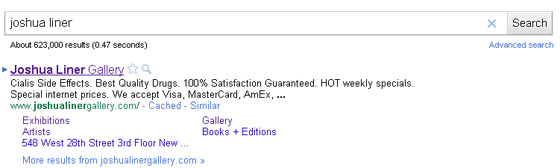
Collectors take note: Joshua Liner has special internet prices!
Earlier this week I went after the worst gallery websites I could find; today I write about the best. This portion of the segment is harder than one might think, because good websites don’t make the user aware of their design: I arrive, I get my information, I leave. With this in mind, rather than highlight individual websites for their outstanding design, I’ve decided to focus on features on sites I like, that I want to see more of:
- Past Exhibitions: Lots of exhibition archives go way back – Gagosian begins at 1989, and Luhring Augustine offers invitation cards dating to 1985 – but how much useful information is made available? Matthew Marks does an excellent job – in particular, artist CVs link to past exhibitions outside Matthew Marks. Like, actual usable links to the exhibition spaces and their PR and so on. I don’t like that that surprised me. They’re not the only gallery to do so – Postmasters comes to mind – but dealers are generally hesitant to let you know their artists exist outside the gallery. We get that no gallery wants to share their artists with another, but allowing visitors to learn about past shows at nonprofit spaces and museums can only help their cause.
- Artist Information: Friedrich Petzel‘s website is clean and functional, but the highlight is the
- Photographs: Big ones, please, and ones I can use without taking a screenshot and mucking about in Photoshop – which means less Flash. Tell me how many photographs are in a set, and allow me to navigate with more than just forwards and backwards arrows. For extra credit, look at something like the magnifying-glass feature on Joshua Liner‘s site: it’s a neat gizmo, and given the reception to Google Art Project’s gigapixel images, I wouldn’t be surprised if more galleries began to offer similar tools. Postmasters, which serves up massive 2000×2000 pixel images even for install shots, would seem an obvious taker.
- Failing Gracefully: The existence of the iPhone means that Flash sites are sometimes going to fail. The difference between sites like Greene Naftali and sites like Matthew Marks is one of how they fail. Matthew Marks notices you don’t have the Flash client and instead gives you a nearly-identical HTML page; Greene Naftali just craters. Creating failsafe sites is a little bit of effort that goes a long way for some users.
AFC readers – you’ve clearly proven your ability to use an art-related website, so what would you like to see more of?


{ 4 comments }
Kern and Zwirner both have good websites, fast on their feet to get installation views as well as shots of individual pieces up on their sites as soon as the exhibition is open. But in general, galleries need to not only follow their example, but also to to realize—and get their artists to realize— that having an upcoming show means having photos for at least a few of the new works slated for that show available for posting on the gallery website ahead of the opening. I’d say by at least a month. It would help generate buzz and foot traffic.
I think these are good suggestions, though they also have to do with web maintenance more than they do design. David Zwirner’s website is filled with the tiniest of tiny text, but it’s always so current the site’s design flaws are less of an issue, They’ve made some design changes since they first launched the site. I recall thinking at the time that those changes decreased the goodness of the site — it now seems much hard to find all the images you might need.
Wow. I love your website. The information you put together is fun and easy to read. I will check back in a week or so to read more of your stuff. Great job and happy I found you.
I just came across this cool canvas art website. Maybe you like to do a review on it also.. http://www.art4love.com
Any thoughts on mine? ‘www.meltemiart.com
Comments on this entry are closed.